Classic visual app grid
Browse your apps visually again instead of remembering exact names or relying only on typed search.
Facet gives Apple silicon Macs running macOS 14 or later a free fullscreen app grid with folders, manual ordering and keyboard search. It supplies its own launcher. If your old Launchpad database is still readable, you can also import the app order and folders.
Browse your apps visually again instead of remembering exact names or relying only on typed search.
Organize app groups or import a readable Launchpad layout. If the data is missing, you can still create folders and arrange apps in Facet.
Keep the fullscreen launcher free, or buy Pro once for compact mode and advanced customization on up to three Macs.
Facet is best when you want the old Launchpad mental model back: open a launcher, see your apps, search when needed, keep folders, and launch without managing workflows or automations. If you only want command palettes, Spotlight and power launchers may be enough; if you miss the app grid, Facet is built for that exact job.
Current macOS app-browsing behavior is checked against Apple’s View and open apps on Mac guide. Facet capabilities and release behavior are checked against the public Facet source repository and the downloadable build.
Facet Free keeps the fullscreen app grid, search, folders, ordering, and Launchpad layout import free. Pro Modes let you keep different app collections for work, design, and development. Switching a Mode changes what Facet shows; it does not launch or close apps. Pro also adds a floating compact launcher panel.
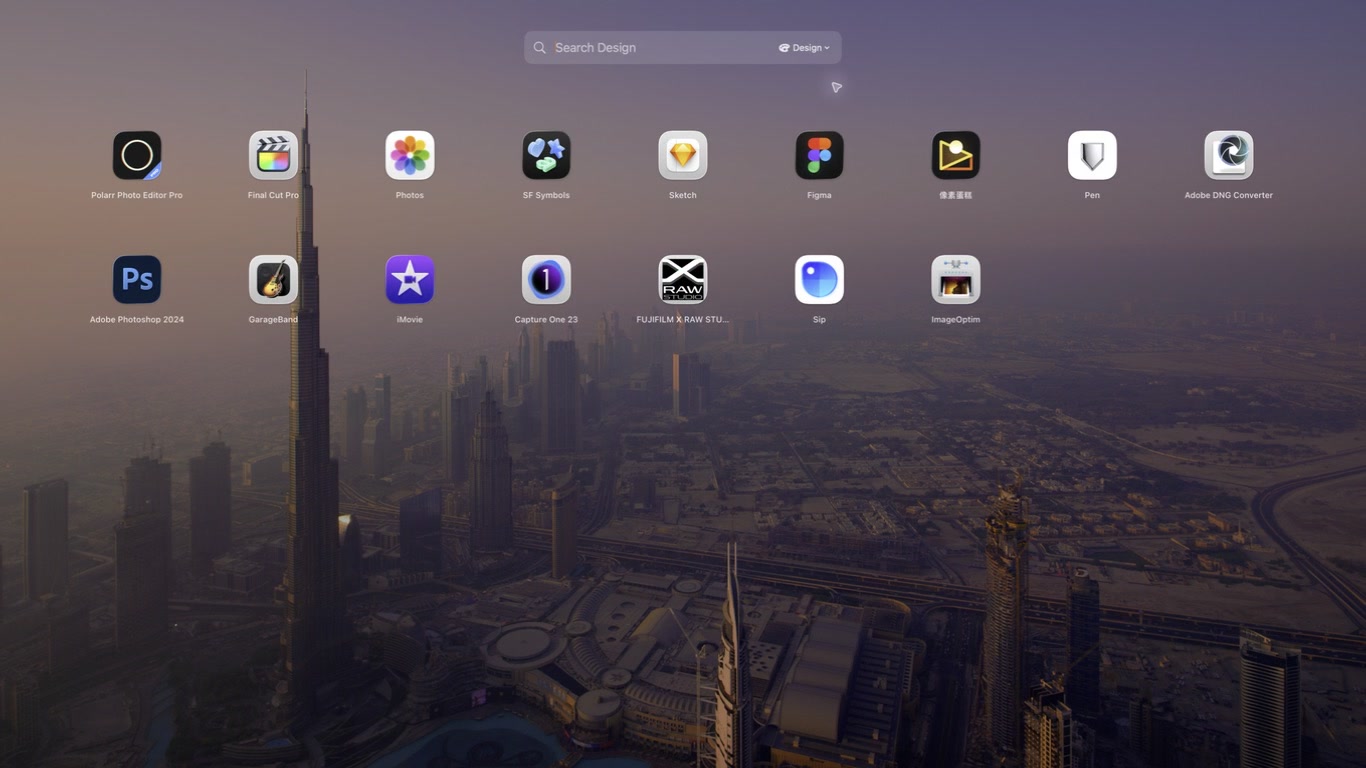
Watch the real 11.6-second Facet Modes demonstration. The recording uses the English interface.
Download Facet, then open the app and choose to start the optional 14-day Pro trial. No card, automatic charge, or subscription. Pro is $14.99 once for up to three Macs.